How to Log In to WankEscape

DISCOVER ENDLESS FLIRTY CONVERSATIONS!
How to Log In to WankEscape
If you are looking for the WankEscape login process, this guide explains exactly how to access your account, complete a secure sign-in, and solve common access issues. You will learn how to log in to WankEscape from desktop or mobile, how to complete a password reset, and what to do if you cannot access your account. This page is designed as a clear support-style resource for fast and simple WankEscape account login help.
WankEscape Login – Step-by-Step Guide
How to Access the WankEscape Login Page
To begin the WankEscape login, you first need to open the official WankEscape login page. Make sure you are using the correct website address and a secure internet connection before entering your details.
Follow these steps:
- Open your browser on desktop or mobile.
- Go to the official WankEscape website.
- Locate the Login button on the homepage.
- Click it to open the WankEscape login form.
- Confirm that the page has loaded fully before entering any account details.
Using the correct login page is important for both account access and security. Avoid signing in through unofficial links or unknown third-party pages.
Entering Your Username and Password
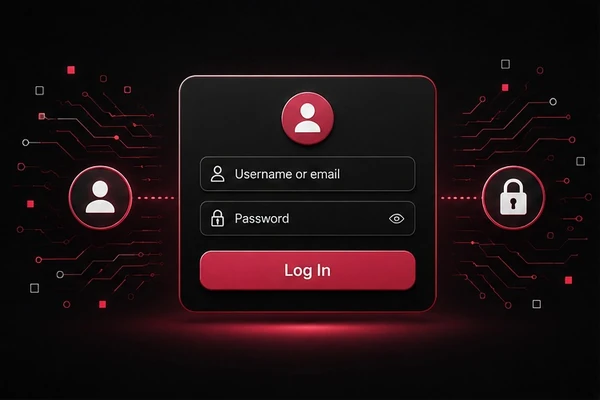
Once you reach the sign-in screen, enter your login credentials carefully. A successful WankEscape sign-in usually requires the username or email address linked to your account and the correct password.
Use this process:
- Enter your registered email address.
- Type your password exactly as it was created.
- Check for typing mistakes, especially uppercase letters or extra spaces.
- Select the login button to continue.
- Once signed in, you will see the Start chatting button.
If your details are correct, the WankEscape account login should complete in a few seconds. If not, review your credentials before trying again. Repeated failed attempts can sometimes temporarily affect WankEscape account access.
Logging In from Desktop and Mobile Devices
The WankEscape login process is similar across devices, but there can be small differences depending on screen size or browser settings.
On desktop:
- Open a supported browser such as Chrome, Safari, Edge, or Firefox.
- Visit the login page directly.
- Enter your credentials and sign in.
On mobile:
- Open your mobile browser.
- Go to the official site and tap the visible login button.
- Enter your details and complete the WankEscape sign-in process.
If the page does not display properly on mobile, refresh the browser, clear cached data, or try a different browser. These steps often fix simple WankEscape login problems.
How to Sign Up for WankEscape (If You Don’t Have an Account)
Creating a New WankEscape Account
If you do not yet have access credentials, you need to complete the WankEscape sign-up process before using the WankEscape login page.
Basic registration steps:
- Open the official WankEscape site.
- Select the Sign Up button.
- Enter the required account details, such as email, username, and password.
- Confirm that you are 18 years or older.
- Submit the registration form.
After completing these steps, your account will be created. Using a valid email address is important because it will be required for verification and future account recovery. When creating an account, choose a strong password and store your login credentials safely. This will make future WankEscape account login attempts easier and more secure.
Email Verification Process
After signing up, you will receive a verification email.
To verify your account:
- Check your email inbox for a confirmation email.
- Open the message from WankEscape.
- Click the verification link.
If you do not see the message, check your spam or junk folder. Once verified, you can immediately log in and start exploring the platform.
WankEscape Login Issues and How to Fix Them
Forgot Password – How to Reset It
If you forgot your credentials, the fastest solution is a WankEscape password reset. This is the standard recovery option for users who cannot complete the WankEscape login process.
Here is how to reset your password:
- Open the WankEscape login page.
- Click “Forgotten?”
- Enter your registered email address.
- Submit the password reset request.
- Check your email for the reset link.
- Create a new password.
If you forgot your WankEscape password, make sure you enter the same email address you used when you registered your account. If the reset email does not arrive, check spam folders and try again after a few minutes.
Account Access Issues or Restrictions
Some users searching can’t log in to WankEscape may be dealing with account restrictions, incorrect credentials, or temporary access issues.
Try these actions:
- Confirm your email or username is correct.
- Re-enter your password slowly.
- Make sure your account has completed email verification.
- Disable browser extensions that may interfere with login.
- Try signing in from another browser or device.
- Wait a few minutes if multiple failed attempts were made.
If your account is restricted or flagged for security reasons, you may need to contact platform support for account recovery. This is often necessary when a normal WankEscape account login is blocked even after using the correct details.
Login Page Not Loading
If the WankEscape login page does not load, the issue is often related to your browser, connection, or cached files.
Try the following troubleshooting steps:
- Refresh the page.
- Clear browser cache and cookies.
- Disable VPN or proxy services temporarily.
- Switch to another browser.
- Check your internet connection.
- Restart your device and try again.
These troubleshooting steps can resolve many common WankEscape login problems. If the page still does not open, test the site later in case of temporary server or maintenance issues.
Is WankEscape Safe to Use?
Account Security and Privacy Tips
From a login perspective, account safety depends on secure habits. When using the WankEscape login, always protect your credentials and avoid entering account details on unfamiliar pages.
For better secure login practices:
- Use a strong, unique password.
- Do not share your login credentials.
- Sign out after using a shared device.
- Avoid public Wi-Fi when accessing your account.
- Verify that you are on the official website before signing in.
These simple precautions reduce the risk of account misuse and help protect your WankEscape account access.
Frequently Asked Questions About WankEscape Login
There are several possible reasons, including incorrect login credentials, an unverified email address, a password issue, or temporary browser problems. If you can’t log in to WankEscape, first reset your password, then clear your browser cache and try again.
WankEscape is free to register, so you can create an account and access the platform without paying upfront. However, chatting is not free. To use the live chat features, you need to buy minutes, which are then used during your sessions.
No. You need to register to use WankEscape. Creating an account is required to access the platform, log in, recover your password, and manage your account details.
Use the Forgotten Your Password link on the WankEscape login page. Enter your registered email, open the password reset message, and follow the instructions to create a new password.
Open the official site in your mobile browser, tap the sign-in button, and enter your registered email or username plus password. The process is nearly the same as desktop, though clearing mobile browser cache can help if the page fails to load.